


- Microsoft's import converts Power Query queries and Power Pivot models, including measures and relationships, but it skips hierarchies and leaves worksheet formulas behind. Lookup logic, VBA and calculated fields in ordinary pivot tables all have to be rebuilt, which is why an estimate based on report count alone is unreliable.
- When Power BI totals match Excel but the breakdowns don't, the cause is usually mechanical. Look first at rounding order, ratio totals, rows hidden from SUBTOTAL, fiscal calendar logic and the exchange rate type. A good proposal says how each one will be tested.
- Excel-sourced models come with refresh constraints you should plan for. Shared capacity allows eight scheduled refreshes a day with a two-hour limit, and a SharePoint workbook replaced by copying over it breaks refresh because the file's item ID changes.
- Before comparing prices, check that each proposal includes a signed rule register, reconciliation terms agreed before the build, an automated variance check and written criteria for retiring each workbook.
- Choose the partner whose first wave ends with one finance report reconciled through a full month-end close and its workbook retired.
You've decided to move finance and operations reporting out of Excel, and two or three proposals for Excel to Power BI migration services are on your desk. They look alike. Each lists a report count, a build phase, a testing phase and a timeline.
None of them shows you the moment that decides the project. Your FP&A lead opens the old spreadsheet next to the new Power BI report, filters to EMEA, and the regional margin is off by a fraction of a point. From then on, finance keeps the spreadsheet running "just in case," and you're maintaining two systems.
A good migration partner prevents that moment by design. Power BI can reproduce any calculation a workbook makes, so the real test of a proposal is how the vendor plans to find every calculation, including the ones nobody wrote down. This guide walks through where that logic hides, how each Excel construct maps to Power BI, the technical causes of variances, and what to demand from a partner before you sign.
Get a like-for-like scope before you compare quotes
A short working session sorts your Excel reporting estate by the job each workbook does and how much hidden logic it carries. You leave with a construct inventory and a first-wave shortlist you can hand to every vendor you're evaluating.
Book an Excel reporting inventory session
Why Is Excel to Power BI Migration Hard to Estimate?
Excel to Power BI migration is hard to estimate because the business logic sits in individual cells instead of a central model. Every proposal you're comparing is guessing at how much of it exists.
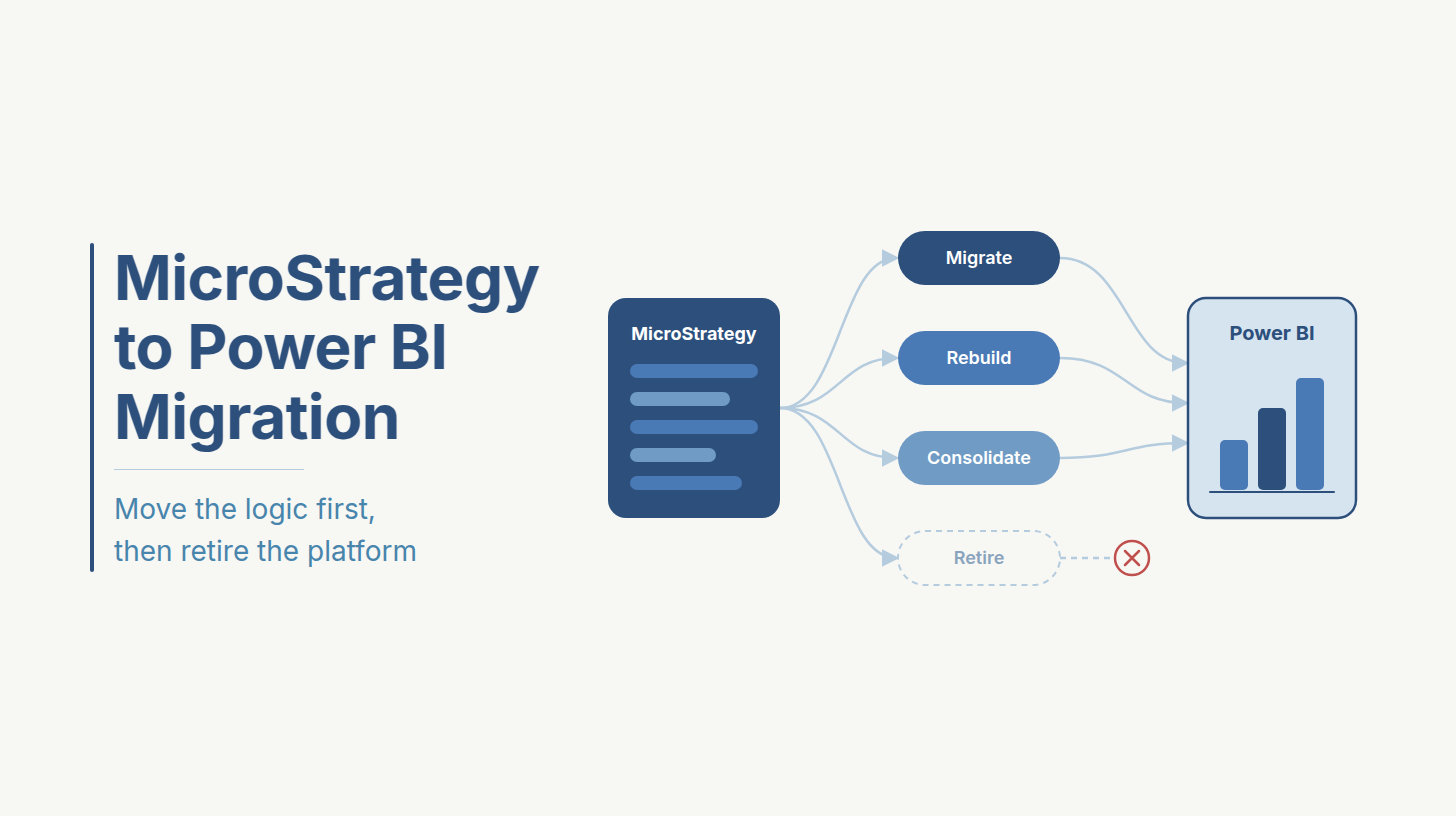
A BI platform keeps its logic in a layer you can parse. Tableau and MicroStrategy store calculations in a semantic model or schema that a team can extract and test, which is why a MicroStrategy to Power BI migration can be estimated from the metadata. A workbook keeps its logic in cells, and any cell can carry its own rule.
Microsoft's own tooling covers less of this than buyers expect. Its 2025 documentation on importing Excel workbooks into Power BI Desktop says the import converts Power Query queries, Power Pivot connections, measures and relationships. Hierarchies are skipped. Plain worksheets go through Get Data instead, which reads each cell's value and leaves the formula behind.
That leaves a long tail of constructs that need a person to read them, decide what they mean and rebuild them. The effort in a migration depends on how many of those constructs your published reports carry. Knowing what each one becomes in Power BI is the first step to sizing the work.
How Does Each Excel Construct Map to Power BI?
Each Excel construct has a Power BI equivalent, but the mapping is rarely one-to-one. Use this reference table to inventory your workbooks before you ask vendors for a quote.
Pro tip: Count constructs per published report, not reports per estate. A report with forty SUMIFS formulas, a mapping tab and an adjustments tab is a different job from one that reads a single Power Pivot model.
Pro tip: Calculated columns imported from Power Pivot often belong as measures. Leaving them as columns inflates model size and can change results once users slice the data differently.
Most of these mappings are mechanical once you've found them. The variances that cause arguments come from a smaller set of differences in how Excel and DAX actually calculate.
Why Don't Power BI Totals Match Excel?
Power BI totals usually differ from Excel because the two tools evaluate the same rule differently, even when the formula looks equivalent. In one thread on Microsoft's Fabric community forum, an analyst found annual revenue matched while regional breakdowns and margin percentages didn't, and the cause was a slightly different formula in the Excel file.
These are the causes to test for, in roughly the order they tend to show up.
Rounding order is the most common source of small variances. A workbook that rounds each invoice line and then sums the column won't match a DAX SUM, which adds the raw values and only rounds for display. If finance really does round at line level, the measure has to do the same.
Ratio totals need a decision from finance before anyone writes DAX. A workbook total row sometimes averages the row percentages, which is mathematically different from recalculating the ratio on the totals. Agree which one is correct and write it into the rule register.
Finding these causes takes time with the workbook authors, and that time is usually what a BI team is shortest of.
Why Do Companies Hire a Power BI Migration Partner?
Companies hire a migration partner to buy time and method. Working through a long tail of constructs and variance causes is more than a busy BI team can absorb alongside its day job.
The case for a vendor, whether that's a delivery partner or Power BI migration consultants, has little to do with Power BI skill. Your BI team can build reports. What it lacks is capacity, because rule mapping is interview-heavy work. Someone has to sit with each workbook's author, open every tab and ask why a number is calculated the way it is. When that job falls to the people also handling this month's report requests, it's the first thing to slip.
A partner also brings patterns your team hasn't run into yet. Engineers who have migrated other finance estates know where fiscal calendar logic tends to hide and which rounding conventions finance teams use. They've also seen which shortcuts come back as rework during the parallel run.
Reconciliation is easier with a third party in the room, too. If your own team built the model, a variance can feel like a verdict on their work. An outside team that logs every variance against terms both sides agreed up front gives you a neutral record.
Those reasons don't apply to every Excel estate, though. Some teams are better placed to run the migration themselves.
Should You Migrate Excel to Power BI In-House or Hire a Partner?
Keep the migration in-house when your workbook logic is documented and finance has time to confirm rules. Hire a partner when neither is true. Use this table to test your team's capacity for the work around the build.
If you land in the right-hand column on two or more rows, a partner will likely pay for itself in avoided rework. The harder part is telling partners apart, and that comes down to what each proposal commits to deliver.
What Should a Power BI Migration Proposal Include?
A Power BI migration proposal should commit to the deliverables below, each priced as its own line. Compare vendors on these first, since day rates and timelines only mean something once everyone is scoping the same work.
Certification deserves its own question in vendor calls. Microsoft's 2025 documentation on Power BI endorsement says only reviewers named by the Power BI administrator can certify content, and that endorsed content is labeled in places such as Excel where people look for Power BI data. When a partner plans for certification, your analysts can build pivot tables on a governed model, which removes the main reason finance keeps a private copy of the old workbook.
The capacity and refresh line is the one most often left vague, and for Excel-sourced models it carries specific constraints.
What Refresh Limits Affect Excel-Sourced Power BI Models?
Refresh limits depend on where the semantic model is hosted. Microsoft's September 2026 documentation on data refresh in Power BI sets out the limits below, and each one shapes how a migrated finance report behaves during close.
The same documentation flags two traps that matter for Excel sources. Power BI tracks a OneDrive or SharePoint file by its item ID, so copying a new version over an existing workbook creates a new ID and breaks refresh. Uploading and replacing the file keeps the ID intact. Renaming or removing a source column also makes a service refresh fail until the schema is refreshed in Power BI Desktop and republished.
Both traps are common when finance keeps maintaining a source workbook during the migration. A proposal should say which sources will stay in Excel for now, who is allowed to change their structure, and how refresh failures get reported.
Close calendars add another constraint. If finance expects updated figures several times a day during close, eight scheduled refreshes may not be enough, and the capacity decision belongs in the proposal from the start.
These technical gaps tend to show up in a proposal's wording long before they show up in production.
What Red Flags Should You Look for in a Migration Proposal?
The clearest red flag is pricing per report, because it means nobody has counted the constructs. The others tend to show up in the proposal's own wording, and these are the phrases to question before you sign.
A vendor with a working method answers these with specifics on the first call. Vague answers here have a way of turning into change requests later. The surest way to check those answers is to watch them deliver, and that's what the first wave is for.
Bring the proposal you're weighing
In a working session, engineers compare its scope against the deliverables above, flag the technical gaps and outline a reconciliation plan for one finance report. You leave with the questions to put back to every vendor on your shortlist.
Review your migration scope with an engineer
How Should You Scope the First Migration Wave?
Scope the first wave around one published finance report with a senior audience, because that wave tells you more about a partner than any proposal. A clean migration of the report your CFO reads every month earns more trust than ten simple ones nobody checks.
The wave opens with a construct inventory of every workbook behind that report. Next comes the rule register, signed by the report's finance owner, including decisions on rounding order and ratio totals. Then you agree the reconciliation terms, before anyone builds.
Compare at the grain people actually use, usually entity and month plus the dimension they filter on most. For financial figures, set the tolerance at rounding. Then require a one-line explanation for every variance, approved by the owner, such as a rounding difference or a rule corrected on purpose.
That last rule does more work than it seems. When the Power BI number differs because the old workbook was wrong, the explanation turns the fix into an agreed improvement. Without it, every intentional correction looks like a migration error to the person who built the spreadsheet.
With the terms signed, the build and the parallel run have something objective to be measured against.
How Do You Validate Power BI Reports Against Excel Before Cutover?
You validate by running the certified Power BI model alongside the workbook through at least one full month-end close, measured against the reconciliation terms you agreed. Month-end is when late entries and manual adjustments show up, so a report that matches mid-month can still drift on day three of close.
Automate the comparison instead of checking side by side. A DAX query run from DAX Studio, or from a notebook against the semantic model, returns the model's figures at the agreed grain.
A scheduled job then pulls the same figures from the workbook, joins the two outputs on entity and month, and writes any differences outside tolerance to a variance table that finance reviews. Hours of manual checking become a short review of exceptions.
Two model checks belong before certification. Tabular Editor's Best Practice Analyzer scans the model for common modeling problems, and ALM Toolkit compares model versions so you can see exactly which measures changed between waves.
The wave ends when every variance is explained and the owner signs. Distribution moves to the Power BI app, and the workbook is archived as read-only with a link to its replacement. If reports also go out as scheduled emails or PDFs, repoint them in the same wave, as the guide to enterprise reporting automation services explains.
The whole sequence fits on a single page.
What Does an Excel to Power BI Migration Checklist Include?
An Excel to Power BI migration checklist covers nine steps per wave. Run them in order, because a step you skip tends to resurface during the parallel close as a variance nobody can trace.
Each of these steps has run on real estates at much larger scale, and two engagements show how.
What Do Comparable Power BI Migrations Look Like in Practice?
The same classify-then-certify sequence carried two real Ideas2IT engagements at enterprise scale. Neither started from Excel. Both moved an established BI platform into Power BI, and both depended on classifying the estate before building anything.
A photonics manufacturer was retiring SAP BusinessObjects. Within six weeks our team had taken over its live reporting backlog, working in joint sprints with the outgoing BI team so the business never went without reports. Each Universe was scored for complexity and usage. The semantic layer was rebuilt as certified Power BI datasets with shared DAX measures, and only then did reports start moving. Eleven engineers consolidated and migrated 206 reports over nine months. The full account is in the SAP BusinessObjects to Power BI case study.
A legal services firm had 80 Tableau workbooks. Before migrating any of them, we sorted each into simple, medium or complex, then moved the simple tier first to prove out the workspace design. Because the firm already had a Microsoft agreement, retiring Tableau reduced its licence costs by 67%. You can read how in the Tableau to Power BI case study.
An Excel estate adds the construct mapping and variance work, because the logic has to be found in cells and in people before it can be rebuilt. The order stays the same. Classify before you estimate, and certify the model before any report moves. On an Excel estate, running that sequence well comes down to who sits with your analysts while it happens.
Why Choose Ideas2IT for Excel to Power BI Migration?
Ideas2IT fits this work because its engineers do the rule mapping inside your team. Rule mapping happens at a desk next to the analyst who built the workbook, which is why these migrations run with Forward Deployed Engineers. FDEs embed in your environment from day one, working in your Power BI tenant and on your close calendar. They sit with your FP&A analysts to trace each formula to its owner, and they move staging-file logic into data pipelines your team can schedule and monitor.
Everything they build stays in your tenant with documentation. That includes the rule register, the certified model, the variance queries and the Best Practice Analyzer rules, so your BI team can run them after the engagement ends.
Once the certified model is live, business users often want to ask it questions directly instead of exporting to Excel again. DataStoryHub, Ideas2IT's conversational BI platform, puts an LLM on top of a semantic model so users can query governed data in plain language. We match the front end to your environment.
Finance data comes with audit expectations. Ideas2IT holds SOC 2 Type II and ISO 27001 certifications covering how engagement teams handle client data.
Every engagement starts with the first wave described above. It's scoped to one finance report and gated on that report's workbook being retired, so you see the method work on your own data, signed off by your finance owner, before you commit the rest of the estate. Read more about our BI and analytics migration services.
Scope your first Excel to Power BI migration wave with Ideas2IT
Start with the finance report your team argues about most. You get a construct inventory, a signed rule register, reconciliation terms with automated variance checks and a first-wave plan with a fixed scope and an estimate.
Discuss your Excel to Power BI migration
References
- Microsoft. "Import Excel workbooks into Power BI Desktop." Microsoft Learn. February 2025. https://learn.microsoft.com/en-us/power-bi/connect-data/desktop-import-excel-workbooks
- Microsoft. "Promote and certify Power BI content with endorsement." Microsoft Learn. October 2025. https://learn.microsoft.com/en-us/power-bi/collaborate-share/service-endorsement-overview
- Microsoft. "Data refresh in Power BI." Microsoft Learn. September 2026. https://learn.microsoft.com/en-us/power-bi/connect-data/refresh-data
- Microsoft Fabric Community. "Totals and Percentages in PowerBI do not match with Excel Pivot tables." Microsoft Fabric Community Forum. https://community.fabric.microsoft.com/t5/Power-Query/Totals-and-Percentages-in-PowerBI-do-not-match-with-Excel-Pivot/td-p/3304785
.avif)
.avif)
.avif)
%20Tableau%20vs.%20Power%20BI_%20Which%20BI%20Tool%20is%20Best%20for%20You_.avif)

